Put Scripture on screen in seconds.
Type a reference, check it in the preview, and send it live with one click. Four broadcast designs, seven Bible translations, no internet needed.
8.6 MB · Windows, macOS and Linux · OBS Studio 28 or later
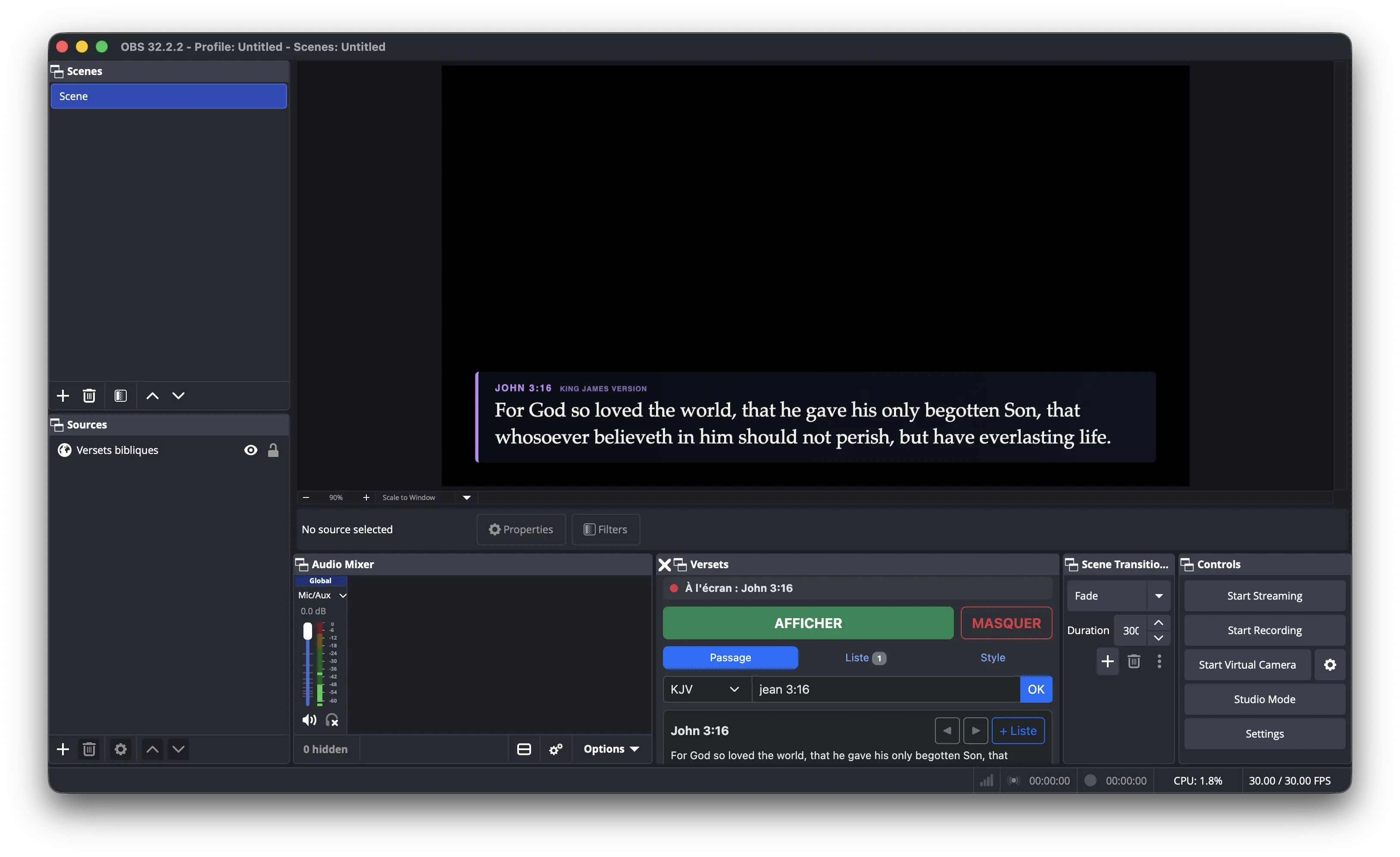
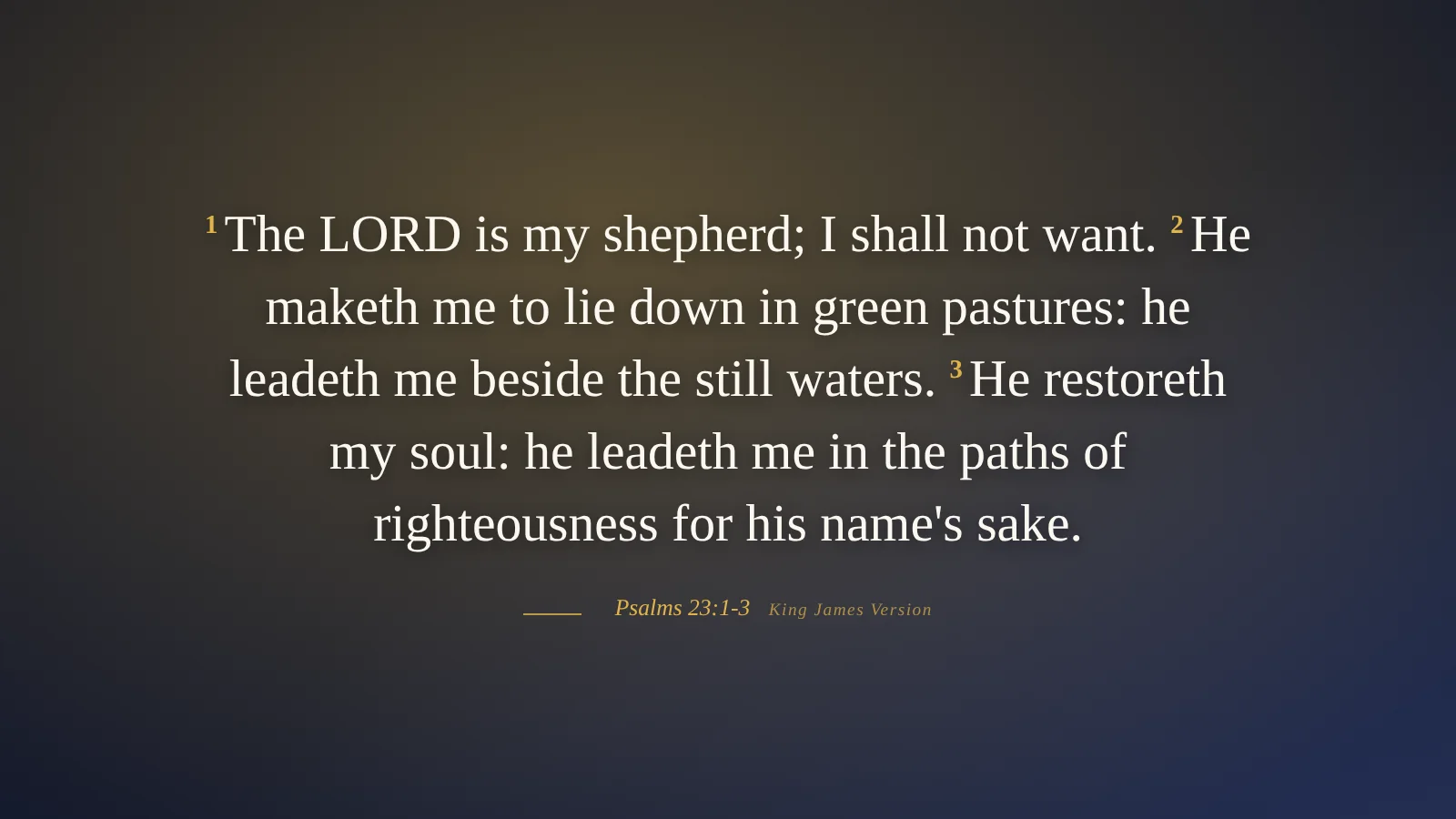
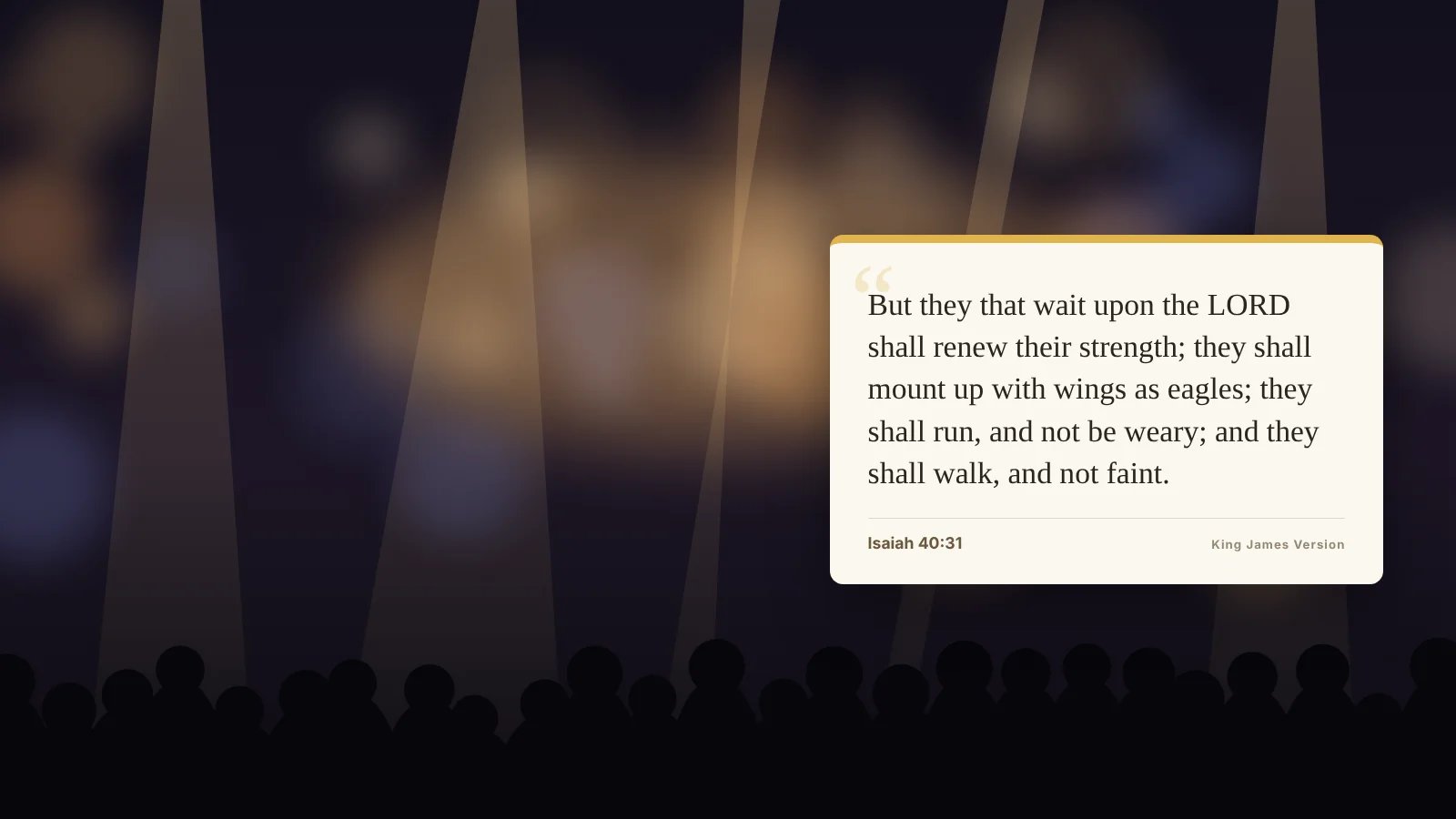
Four designs, ready for broadcast.
Switch design from the control panel while you are live. Accent colour, font, size, position and entrance animation are all adjustable.
Built for the person at the streaming desk.
Find any verse fast
Type John 3:16 Ps 23 1-4 or a few words from the verse. References work in English and French.
Preview before going live
Check the next verse in the control panel while the current one stays on screen.
Service playlist
Prepare the readings before the service, then move through them with Next.
Works offline
Every translation ships with the plugin. Nothing depends on the church connection.
Long passages fit
Text scales down on its own, so a five-verse reading never runs off the frame.
Keyboard first
Ctrl + Enter to show, Esc to hide, Alt + ← → to move verse by verse.
Seven translations included.
All in the public domain. A converter is included to add other translations you hold the rights to.
Set up in two minutes.
The included script finds your OBS connection settings, so there is no password to copy.
-
1
Unzip the folder
Put the obs-bible folder somewhere permanent, such as Documents.
-
2
Enable WebSocket
In OBS, open Tools → WebSocket Server Settings and tick Enable.
-
3
Add the script
Tools → Scripts → +, choose versets-obs.lua, then add the source to your scene.
-
4
Add the control panel
Paste the address shown by the script into Docks → Custom Browser Docks.
Ready for Sunday.
Version 1.0 · 8.6 MB · Windows, macOS, Linux · OBS Studio 28+
Support the project
Verses for OBS is maintained on my own time. A donation helps keep it updated and add new translations.